Browse all guides
Accept payments: online gateway and manual methods
Connect a payment gateway for card and FPX payments, or add manual methods like bank transfer and e-wallet — all from Settings → Checkout & delivery.
Payments are configured in Settings → Checkout & delivery. You can offer manual methods on any plan, and add an online gateway on Starter and up.
- 1
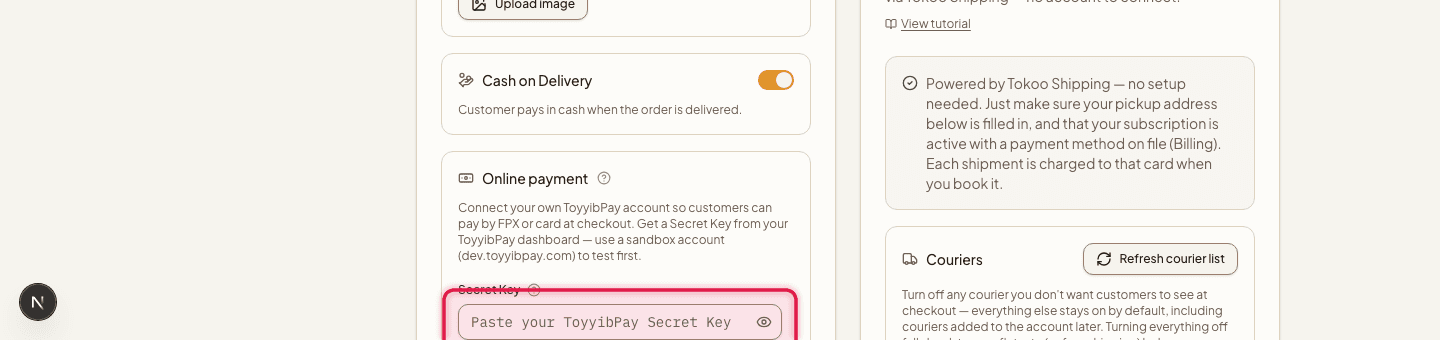
Connect ToyyibPay
Get a Secret Key from your ToyyibPay dashboard (use a sandbox account at dev.toyyibpay.com to test first), enter it, and click Connect. Check Test mode first if you're testing with no real money.
- 2
Turn it on
Once connected, use the Enabled checkbox to switch it on or off at checkout without disconnecting it.

- 3
Add manual methods
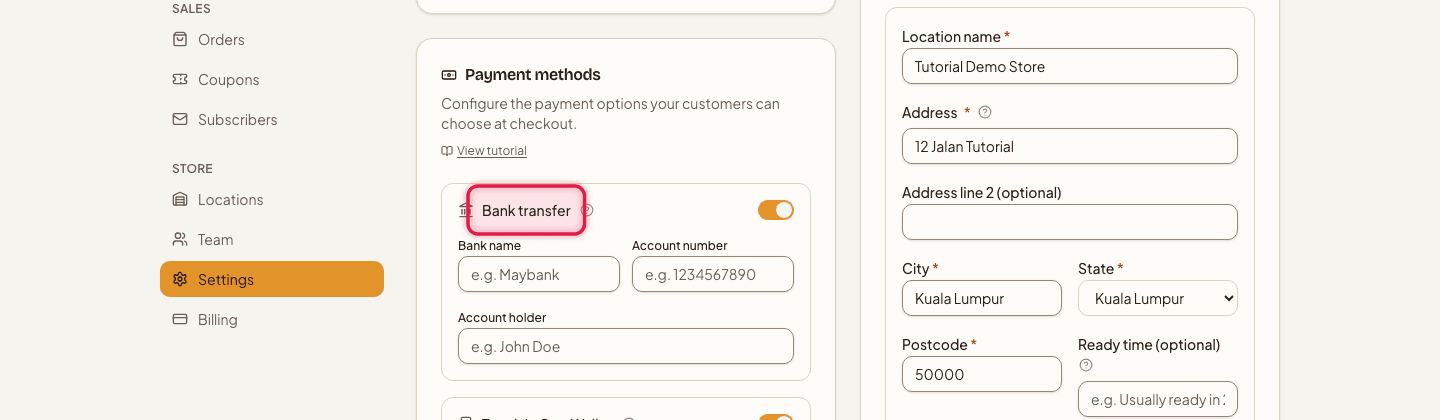
In the same section, click "Add payment method" and pick the ones you use — Bank transfer (bank name, account number, account holder), Touch 'n Go transfer (name, mobile number), Touch 'n Go QR or DuitNow QR (upload your QR code image), PayNow for Singapore customers — and/or turn on Cash on delivery.
Connecting a new online gateway requires Starter and up. If you connected one while on a higher plan and later downgrade, it keeps working — only a fresh connection is blocked below Starter.
Your Secret Key is verified live against ToyyibPay before it's saved — nothing is stored if the check fails.
Still stuck?
Contact us and we'll help you sort it out.