Browse all guides
Set up shipping with Tokoo Shipping
Real courier rates are quoted automatically at checkout, funded by prepaid shipping credit — no EasyParcel account required.
Your store's shipping falls back through three tiers, in this order: (1) your own connected EasyParcel account, if you have one — see the "Connect your own EasyParcel account" guide; (2) Tokoo Shipping, a shared platform account funded by shipping credit you top up yourself; (3) a flat rate you set. This guide covers Tokoo Shipping — your setup is a pickup address, an active subscription, and a credit top-up.
- 1
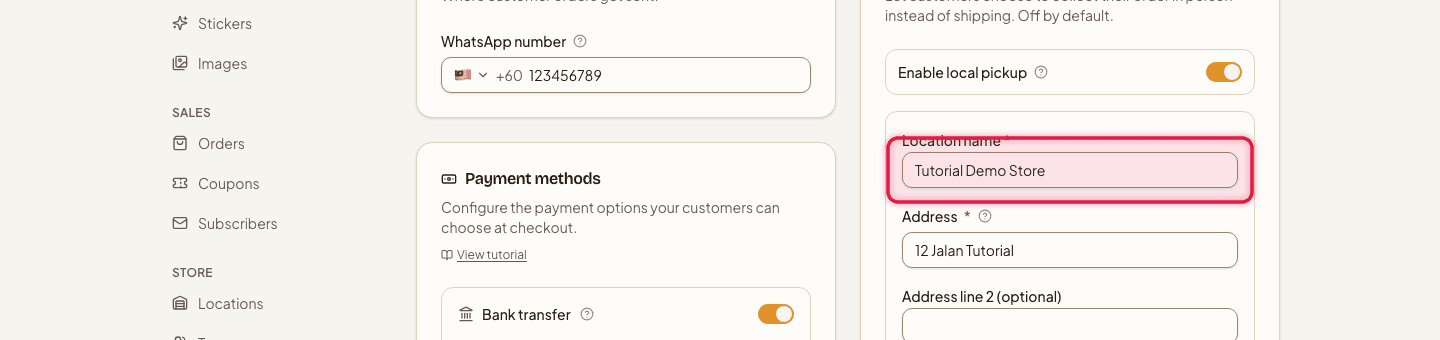
Fill in your pickup address
Go to Settings → Checkout & delivery and enter your Location name, Address lines, City, State, Postcode, and Ready time — this is the address couriers collect from.
- 2
Top up your shipping credit
Go to Billing → Tokoo Shipping Credit and pick one of the top-up packages. The "Pay" amount is slightly more than the credit you get — that's the payment gateway's own processing fee, not a Tokoo markup. The credit lands automatically once payment completes.

- 3
Keep your subscription active
Make sure your plan is active — Tokoo Shipping isn't offered at checkout on a canceled or past-due subscription, regardless of wallet balance.

- 4
Review available couriers
In the Couriers section, click Refresh courier list to see which couriers currently serve your pickup address, and toggle off any you don't want to offer.

- 5
Optional: show a map at checkout
Turn on Show a Google Map on the checkout page if you want customers to see your pickup location visually.

New couriers that start serving your address later are switched on by default — turn off any you don't want as they appear.
Each shipment you book deducts its cost from your wallet balance at booking time, not at checkout — a low balance doesn't hide Tokoo Shipping from customers, it just makes booking fail with a top-up prompt until you add more funds. If Tokoo Shipping is unavailable at all — for example, your subscription isn't active — checkout falls back to a flat rate you set (RM), with an optional free-shipping threshold.
Still stuck?
Contact us and we'll help you sort it out.