Browse all guides
← All guidesContact us
Invite your team and manage roles
Add staff to your store with Admin or Staff roles, and manage pending invitations and seats.
- 1
Invite someone
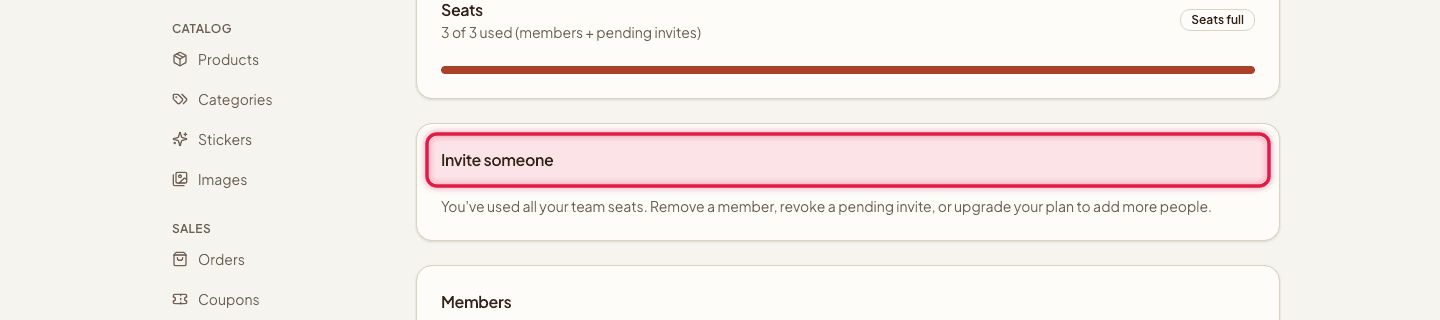
Go to Team, click Invite someone, enter their Email address, and choose a Role — Admin or Staff.
- 2
Send the invite
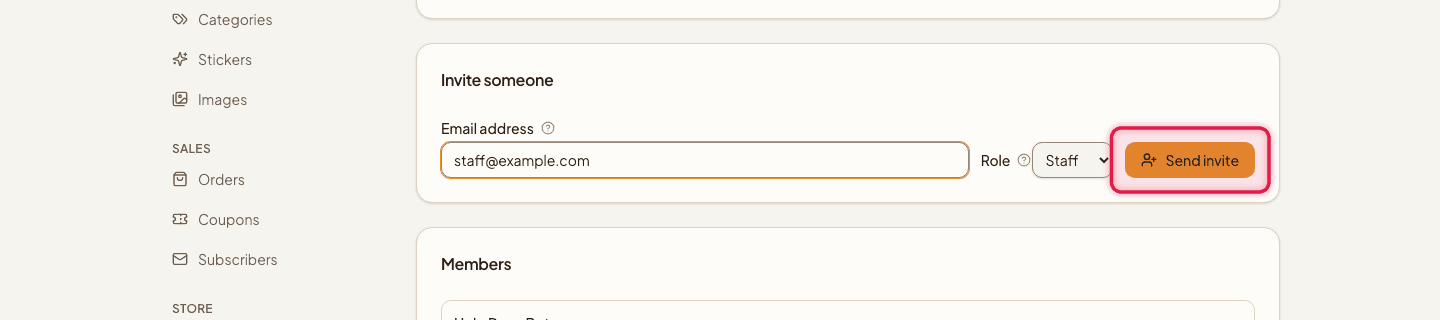
Click Send invite. The invitation email is valid for 7 days and shows up under Pending invitations.
- 3
Resend or revoke
From Pending invitations, you can Resend an expiring invite or Revoke it before it's accepted.

- 4
Remove a member
On an existing team member, click Remove and confirm.

Staff seats by plan
- Seats
- Free 1 · Starter 3 · Pro unlimited
The Owner (the person who created the store) can't be removed or reassigned through this page. Pending invites count toward your seat limit, same as active members.
Still stuck?
Contact us and we'll help you sort it out.