Browse all guides
Offer self-pickup: address, ready time and the map
Let nearby customers collect their order instead of paying for postage — set where they collect from, when it's ready, and whether checkout shows a map.
Pickup is the cheapest delivery option you can offer, because the customer travels instead of you. It removes the postage objection entirely for buyers who live or work nearby, and it costs you nothing but a clear address and honest hours.
- 1
Open Settings → Delivery
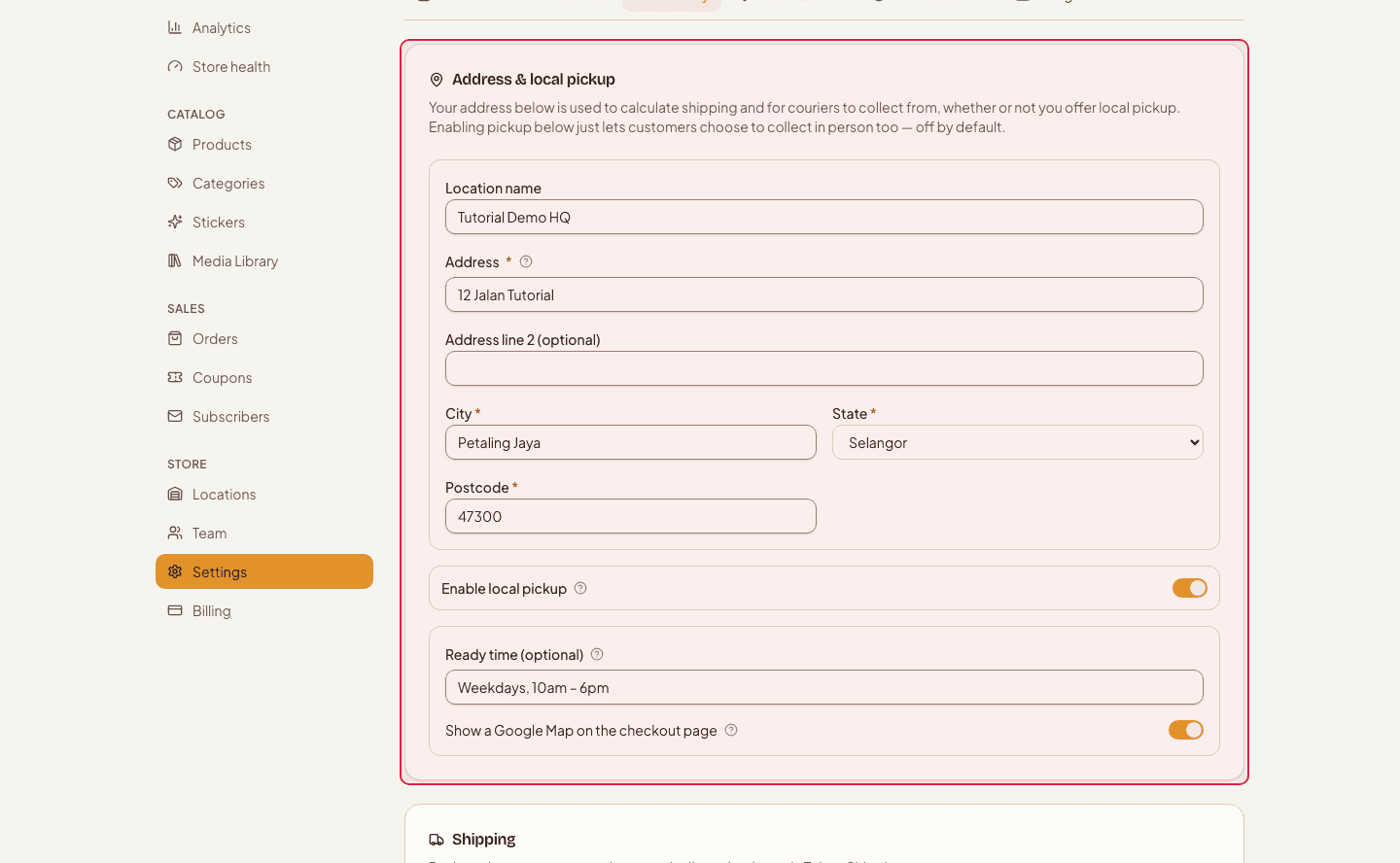
Pickup lives in the Address & local pickup section, above your courier and shipping settings.
- 2
Turn on local pickup
While this switch is off, customers never see pickup as an option at checkout — the address fields below can stay filled in, they just aren't used.

- 3
Fill in where they collect from
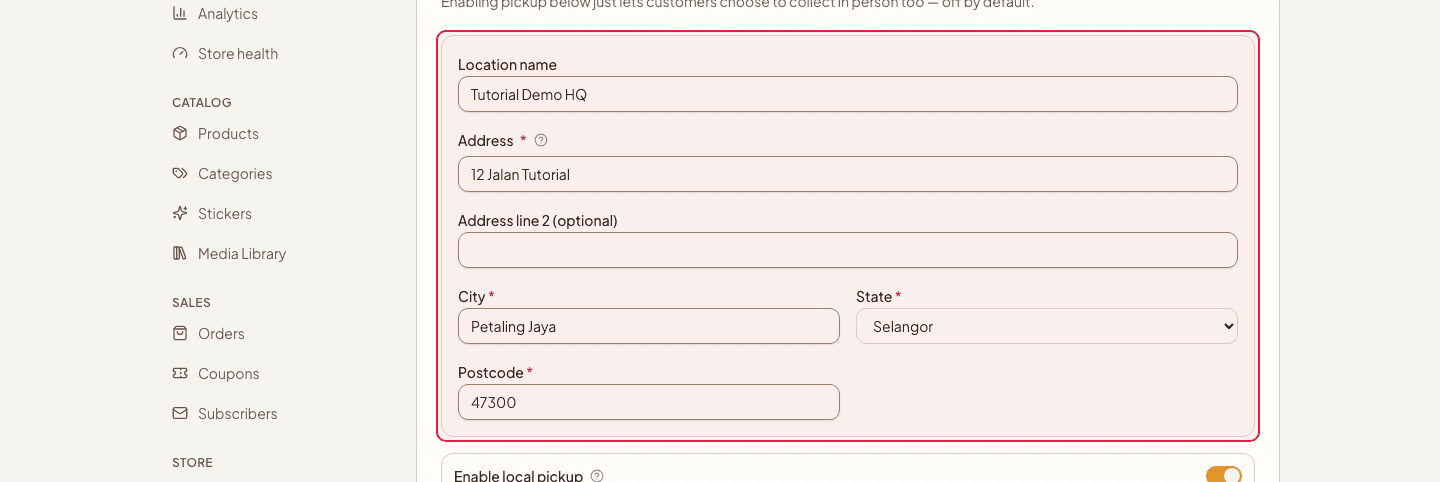
The location name is what customers read — a shop name or a landmark is more useful than a street address on its own. Then add the street address, city, state and postcode. This is also the address that appears on shipping labels once you connect a courier.
- 4
Set the ready time, and pin the location
Ready time is free text shown to the customer when they choose pickup — “Usually ready in 2 hours”, “Mon–Fri 10am–6pm”. The map switch adds a map to the order and checkout page so nobody gets lost. Pinning the location on that map also captures the coordinates on-demand couriers need to quote a price, so it's worth doing even if you don't want the map visible.

Pickup works best where you already are: a shop, a stall, a workshop, even a home with a fixed window. What it can't survive is promising a location you can't reliably staff.
Only turn pickup on for the days and hours someone is genuinely there. A customer who arrives to a locked door writes the review, not the one who paid for postage.
Still stuck?
Contact us and we'll help you sort it out.