Browse all guides
Know your customers: orders, spend and how to reach them
Everyone who has ordered from your store, in one list — what they bought, how much they have spent, and how to reach them.
Customers is built from your orders rather than being a separate address book to maintain: an order arrives and the buyer shows up here. Someone who orders twice is one customer, not two, and only this store's orders count towards their row — the same shopper buying from another Tokoo store never appears in yours.
- 1
Open Customers
Under Sales in the admin sidebar. An empty list before your first order is normal — there is nothing to import and nothing to keep in sync.
- 2
Search and sort
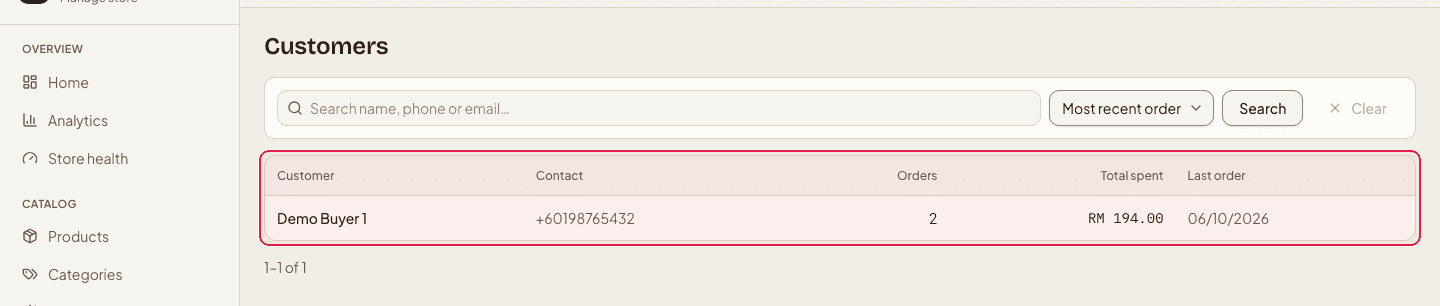
Search by name, phone number or email — whatever the buyer typed at checkout. Sort by most recent order, most spent or most orders: the last two are where the people worth a follow-up are.
- 3
Open a customer
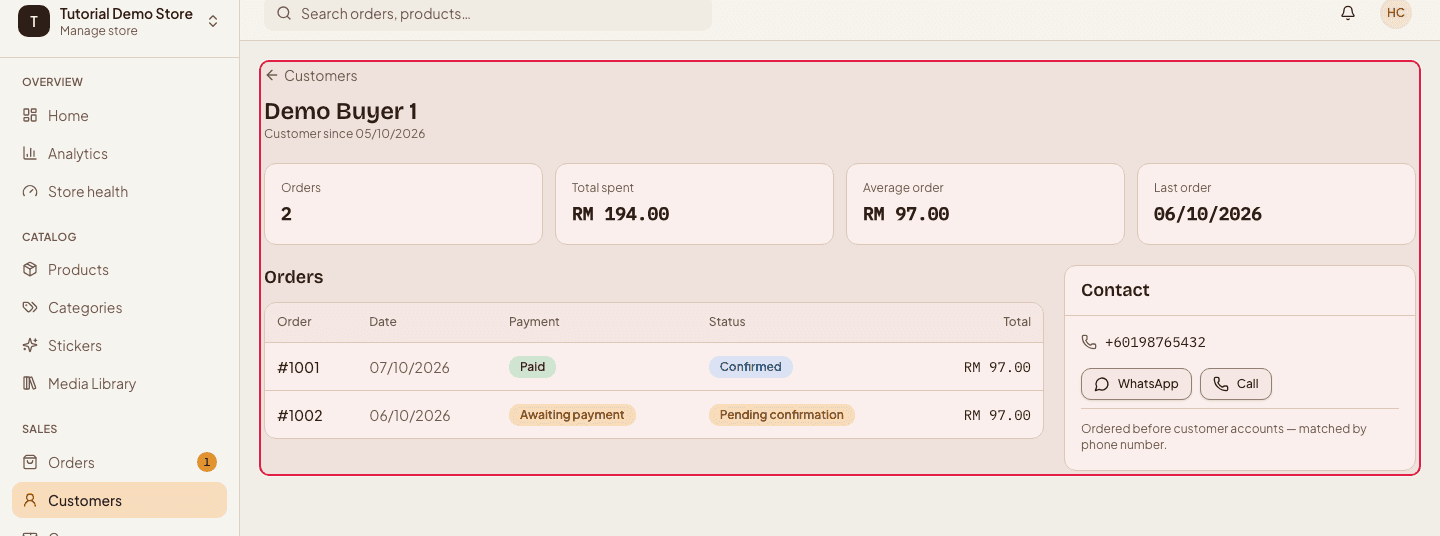
The list shows orders, total spent, last order and contact details. Opening one puts those same four at the top, adds the average order value, and lists every order they have placed with you — each one a link back to the order itself.
- 4
Reach them from the same screen
The contact shortcuts sit in the customer's card: WhatsApp, a phone call, or an email. Handy for confirming a delivery address before you book a courier, or chasing a bank transfer that never arrived.
Your repeat buyers are the cheapest sale you will make this month — sort by Most orders and look at what they bought the first time.
This is not a marketing list. It exists to run the orders those people placed; for news and offers, ask shoppers to subscribe on your store and send only to the Subscribers list.
Still stuck?
Contact us and we'll help you sort it out.