Browse all guides
Member points: reward customers who come back
Turn on points so customers earn on completed orders and spend them as a discount at checkout.
With member points, customers earn points when an order is marked Completed, and spend them at checkout to take money off. It is a simple way to give people a reason to buy again. Guests earn points too, on an account made from their email, so nothing is lost if they sign up later.
- 1
Open Promotions → Member points
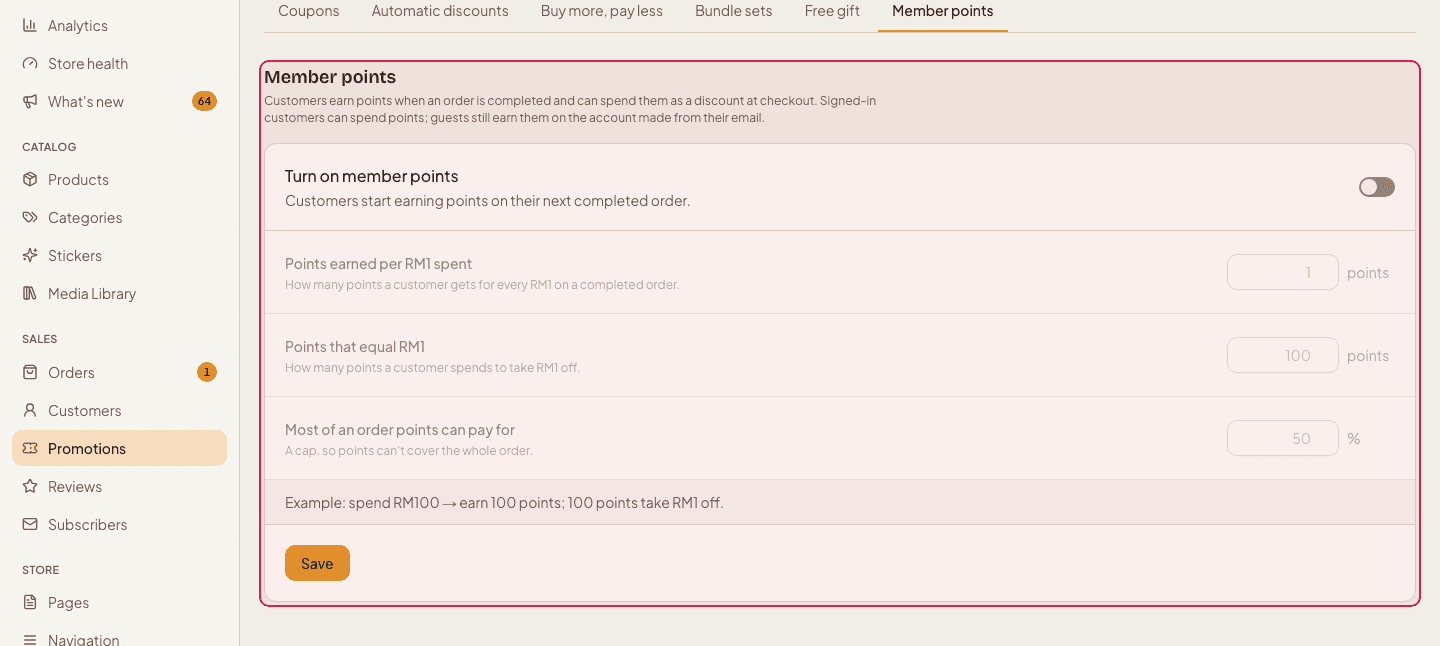
Click Promotions in the left menu, then the Member points tab.
- 2
Turn member points on
Switch on “Turn on member points”. Until it is on, the three settings below are greyed out.

- 3
Choose how many points they earn
“Points earned per RM1 spent”: with 1, an RM100 order earns 100 points.

- 4
Choose what points are worth
“Points that equal RM1”: with 100, every 100 points take RM1 off.

- 5
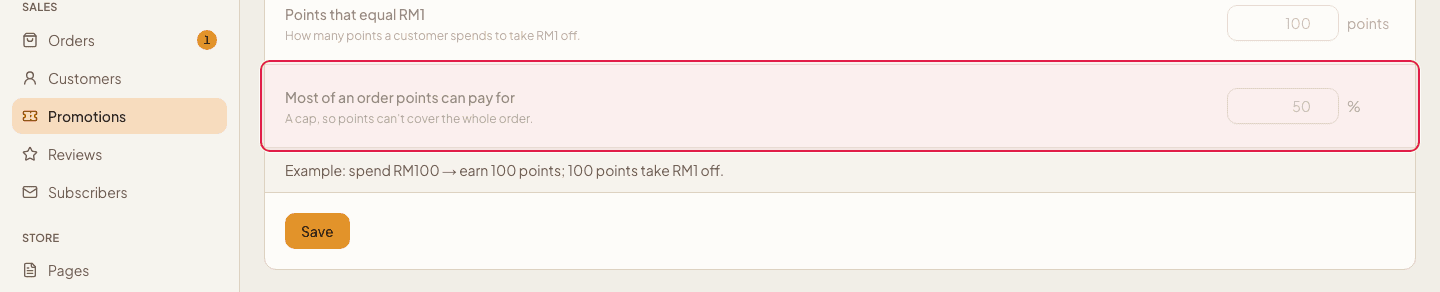
Cap how much points can pay
“Most of an order points can pay for”: with 50, points can pay at most half of the goods total. Check the example line at the bottom, then press Save.
Points are earned only when the order is Completed, so cancelled or refunded orders do not leave points behind. Signed-in customers can spend their points at checkout; the example line on this page shows the exact maths for your numbers.
Still stuck?
Contact us and we'll help you sort it out.