Browse all guides
Give each platform or creator their own discount code
A code still works when a link is forwarded in a private chat — so it shows what a WhatsApp broadcast or a creator earned.
When a link is forwarded in a private message, the platform it came from is lost. A discount code isn’t: it stays on the order.
- 1
Create the code
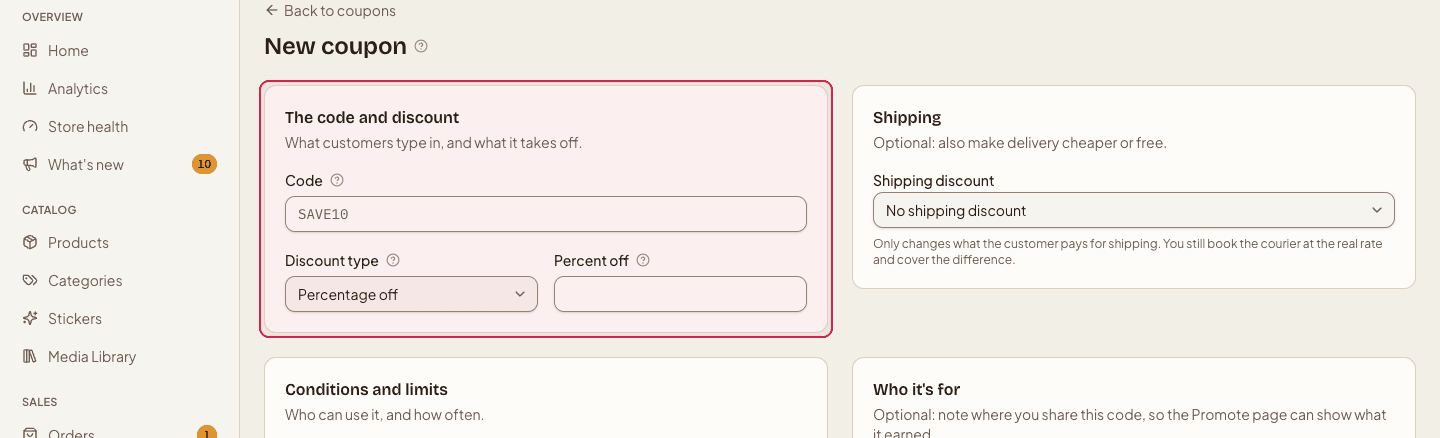
Go to Promotions → Coupons → New coupon and set the discount.
- 2
Say who it is for
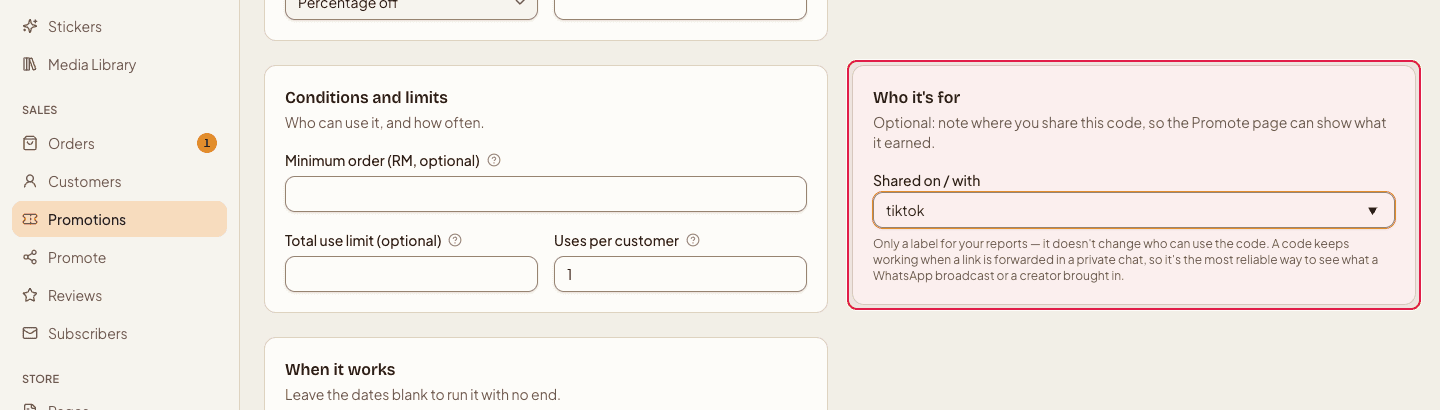
In “Who it’s for”, type a platform (whatsapp, tiktok…) or a name (the creator’s name). It is only a label for your reports.
- 3
Attach it to the link (optional)
On Promote, choose the code under “Add a discount code”. Shoppers who open that link have the code filled in at checkout.

- 4
See what it earned
Analytics → “Where your orders come from” → “Codes you labelled” lists each code’s orders and revenue.
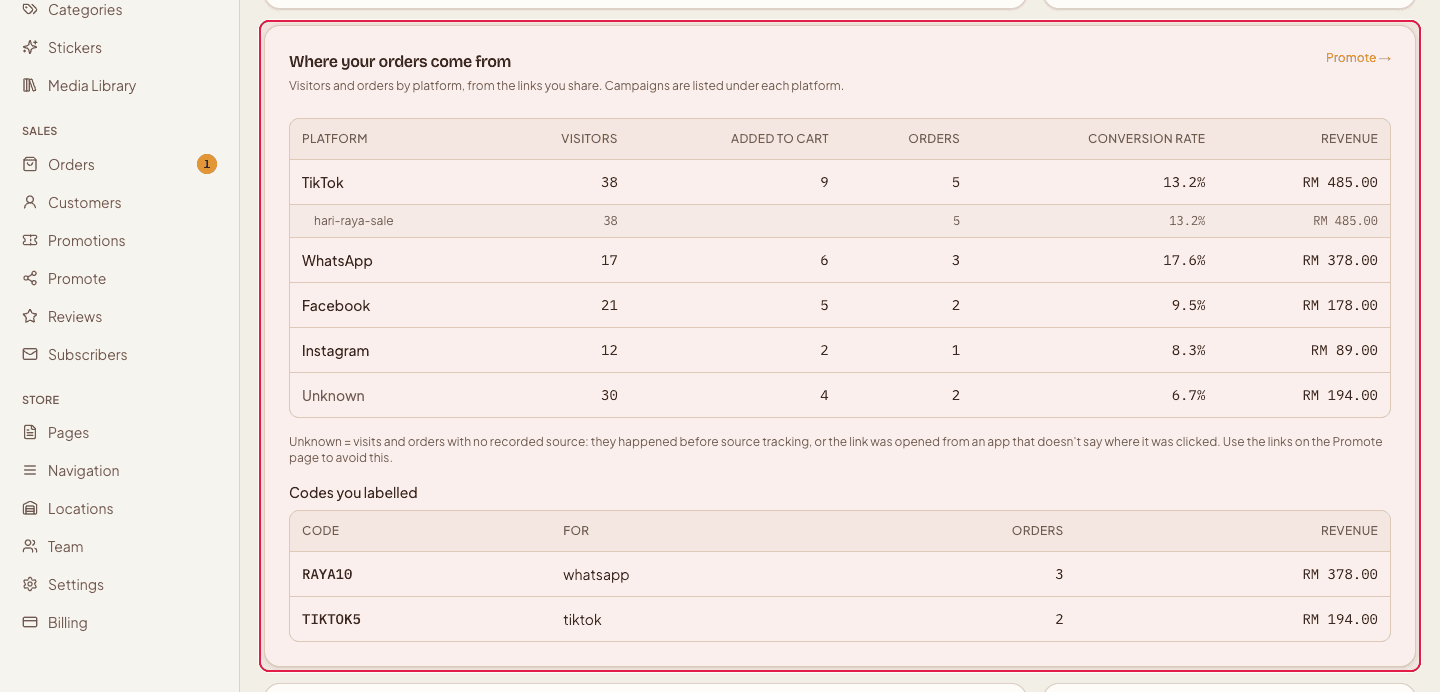
Give each creator a different code and you can pay or thank them by what they really brought in.
A code is not secret — anyone who sees it can use it. Set a total use limit or an end date for codes you hand out widely.
Still stuck?
Contact us and we'll help you sort it out.