Browse all guides
Bring customers from Instagram Stories and Reels
Link in your profile, link stickers in Stories, and where product tags fit in Malaysia.
Instagram does not make links in post captions tappable. Your profile link and Story link stickers are where people can tap.
- 1
Put your links page in your profile
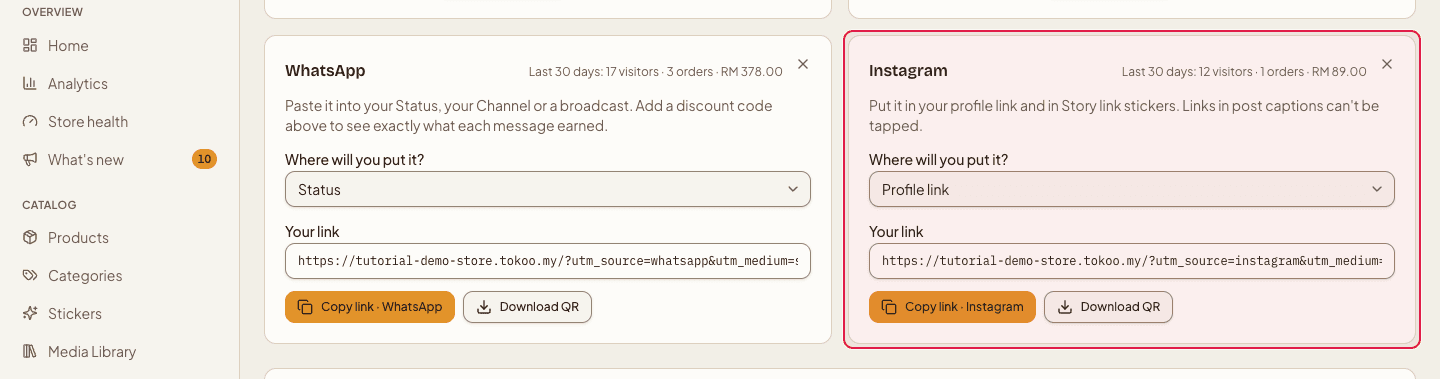
On Promote, choose “Your links page”, Instagram → Profile link, and paste it into your Instagram profile.
- 2
Use link stickers in Stories
Pick Instagram → Story link sticker. Copy the link and add it as a link sticker on your Story. The Story text from Promote tells people to tap it.

- 3
Post Reels and photos
Use the captions from Promote: they say the link is in your profile. Reuse your TikTok video as a Reel.
- 4
Read the results
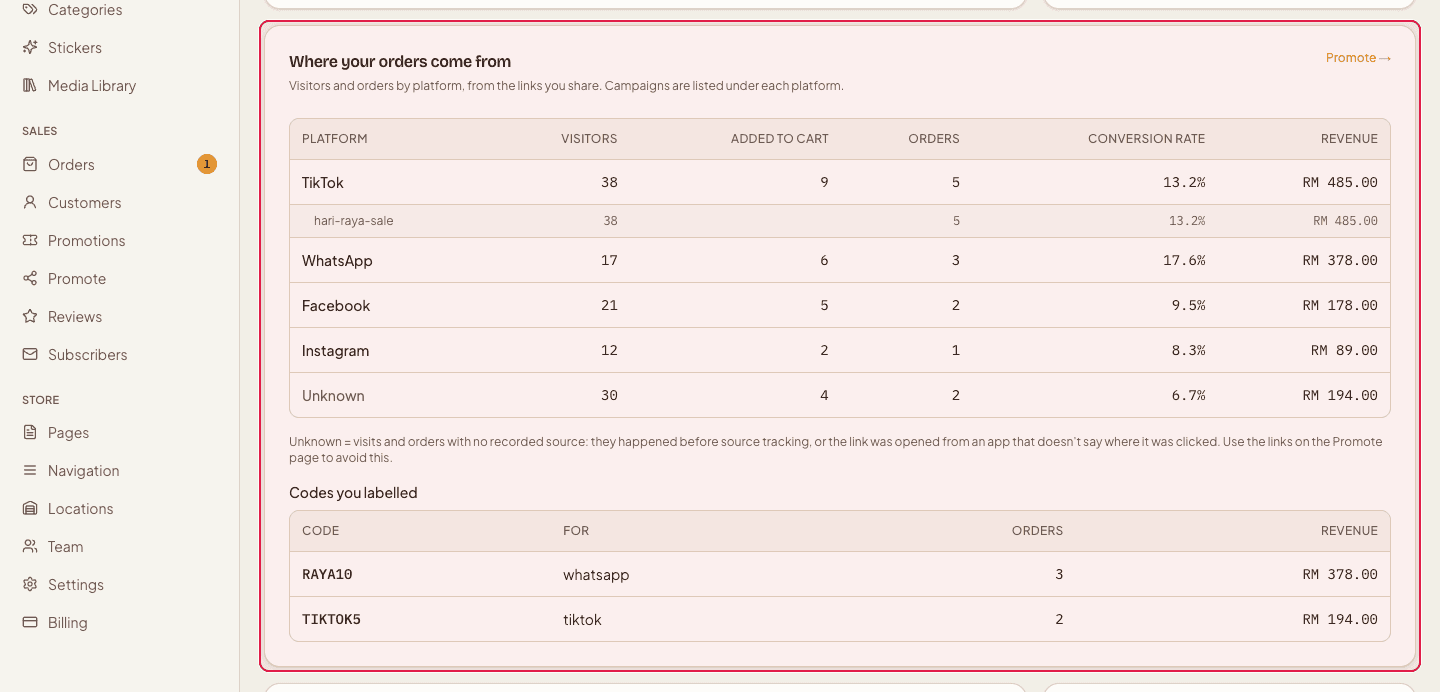
Analytics → “Where your orders come from” shows the Instagram row.
Instagram’s product tags and in-app shop are not available to Malaysian accounts, so don’t plan around them. Orders go through your own store.
Still stuck?
Contact us and we'll help you sort it out.