Browse all guides
Connect your Facebook and TikTok ad tracking
Paste your Meta Pixel and TikTok Pixel IDs so your ads can learn who views, adds to cart and buys. Starter plan.
If you run ads, the ad platform can only get better at finding buyers if it sees what happens in your store. A pixel is how your store tells your own ad account: someone viewed a product, added it to the cart, started checkout, or bought (with the amount).
- 1
Get your Meta Pixel ID
In Meta Events Manager choose Connect data sources → Web → Meta Pixel and create one. Copy the number shown as the Pixel ID.
- 2
Get your TikTok Pixel ID
In TikTok Ads Manager open Tools → Events → Web events → Manage, create a pixel with the Manual setup option, and copy the Pixel ID.
- 3
Paste them into your store
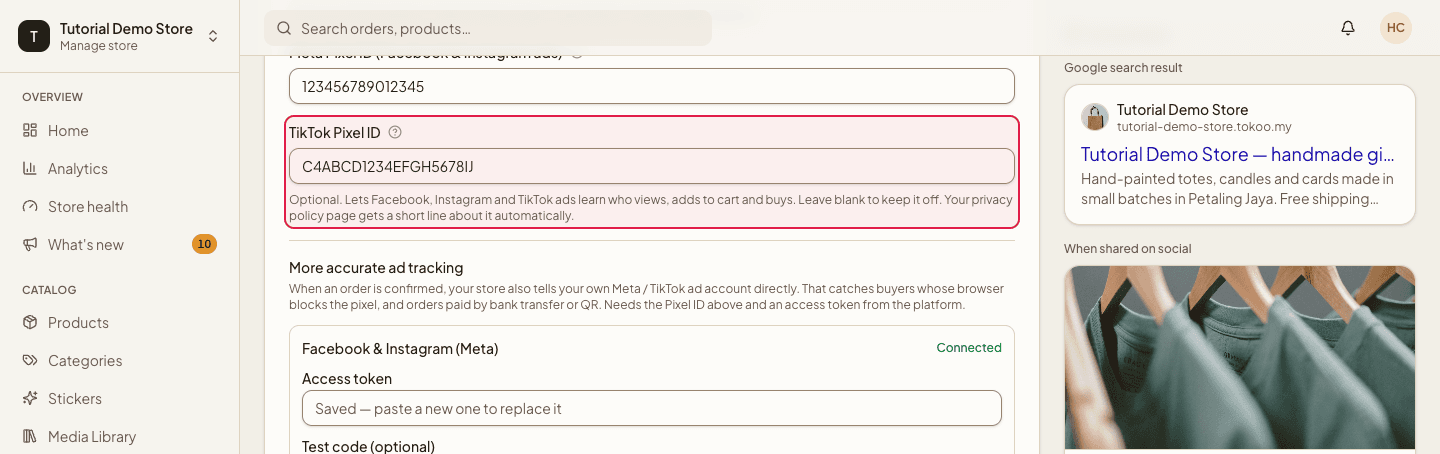
Go to Settings → SEO & domain. Under “Analytics & site verification” paste either or both IDs and click Save SEO settings. Leave a box empty to keep that pixel off.
- 4
Check that it works
Open your store, view a product, add it to the cart. In Meta’s Test events tab or TikTok’s Test events tab you should see ViewContent and AddToCart arrive within a minute. Place one test order to see the purchase and its amount.
- 5
Optional: more accurate tracking
A browser can block the pixel, and orders paid by bank transfer or QR never reach it. Under the pixel boxes, “More accurate ad tracking” lets your store tell Meta or TikTok about every confirmed order directly. Create an access token in Events Manager (Meta: Settings → Conversions API → Generate access token; TikTok: the pixel’s settings → Events API), paste it, and press Save. Put the platform’s test code in too and press “Send a test event” to see it arrive, then clear the test code.
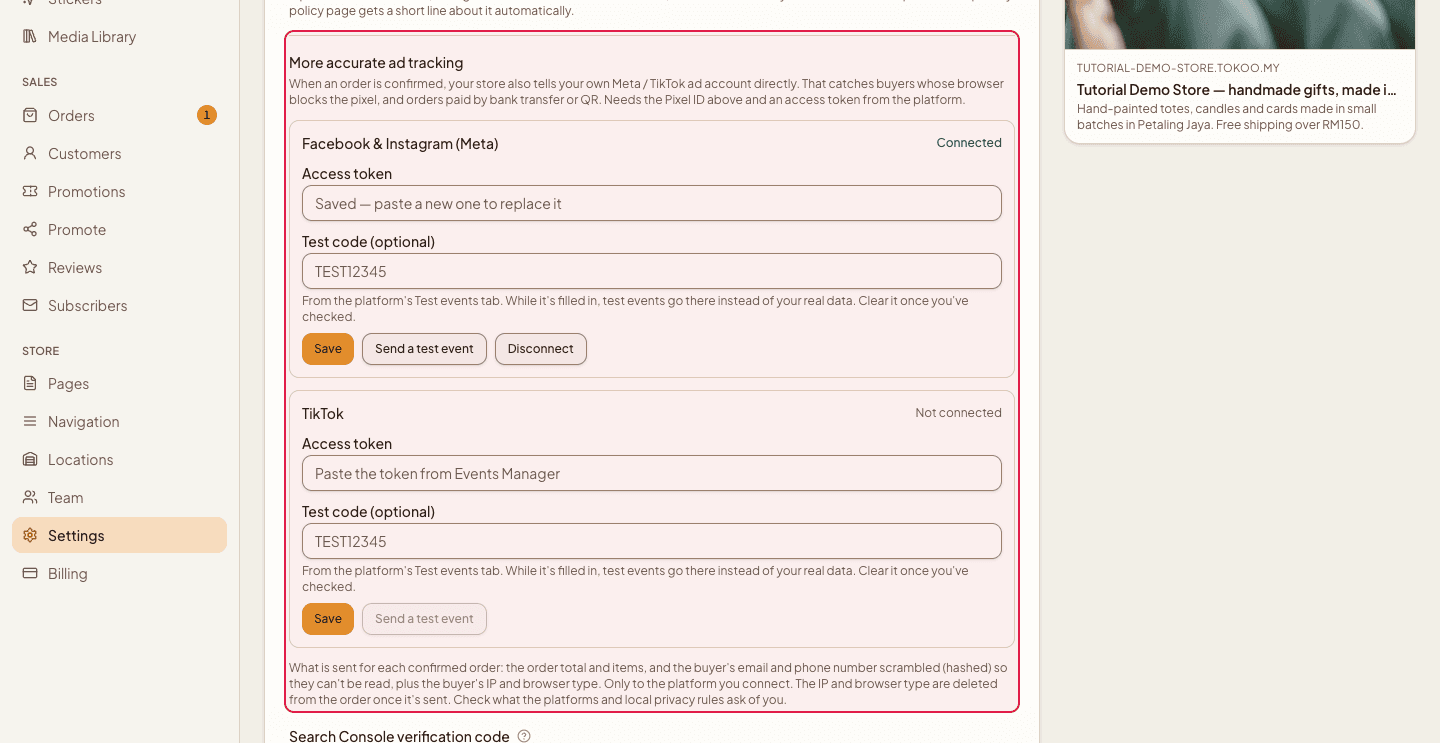
Your privacy policy page gets a short line saying the store uses advertising pixels, automatically, for as long as a pixel is on.
Pixels need the Starter plan. They record shoppers’ activity for your ads, so check what the platforms and local privacy rules ask of you, and see a lawyer if you are unsure. Browsers or ad blockers that block pixels will still hide some visits and sales from your ad account.
Still stuck?
Contact us and we'll help you sort it out.