Browse all guides
Bring customers from Facebook: link in the comment, not the post
Facebook shows posts with links to fewer people. Put the link where it still works.
Facebook shows posts that send people off Facebook to far fewer followers than posts that stay on it. Post the photo or video, and put the link in the first comment.
- 1
Open the product’s Promote page
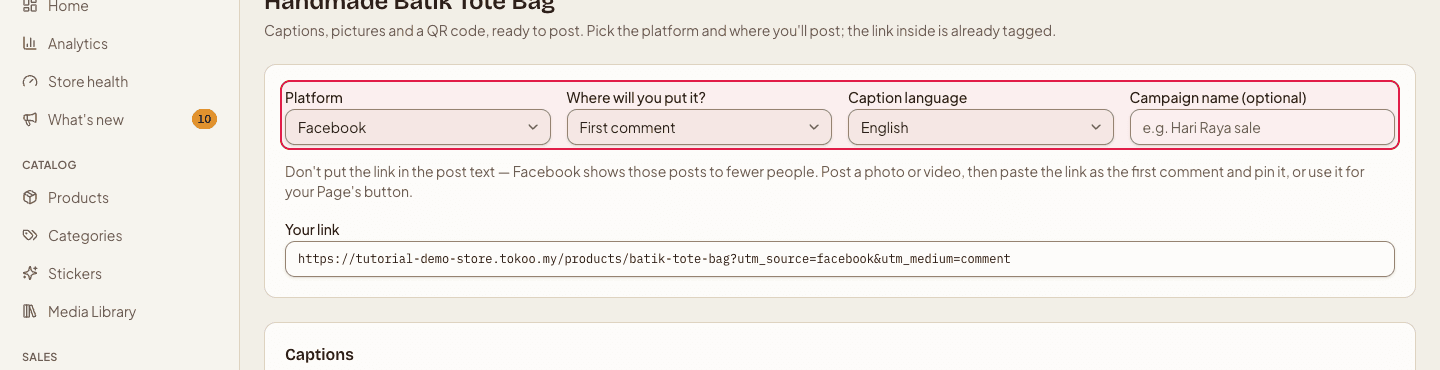
Open a product and press Promote, then choose Facebook. You get a post without a link, and a first comment with the link.
- 2
Post the picture or video
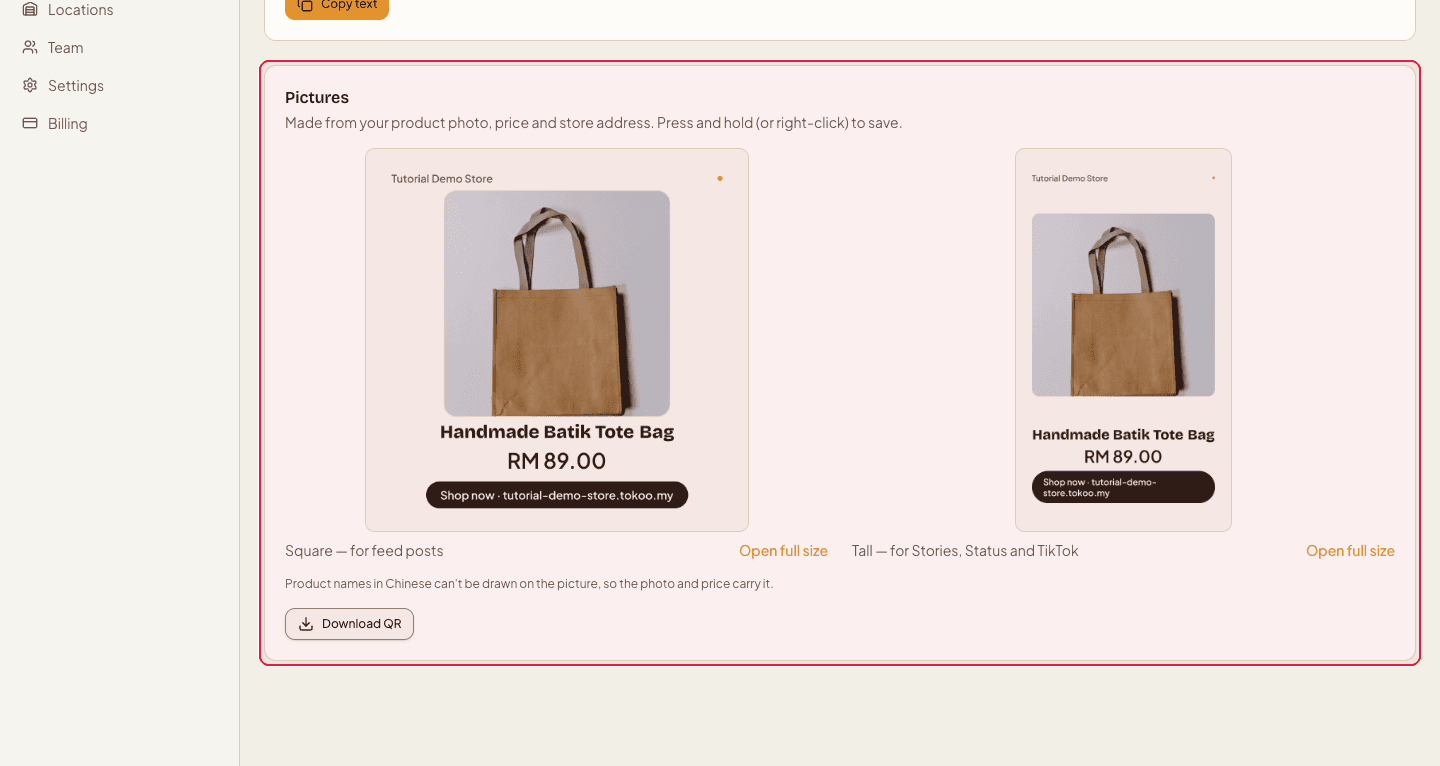
Paste the post text and attach the square picture (or your own photo). The post says the order link is in the first comment.
- 3
Add and pin the first comment
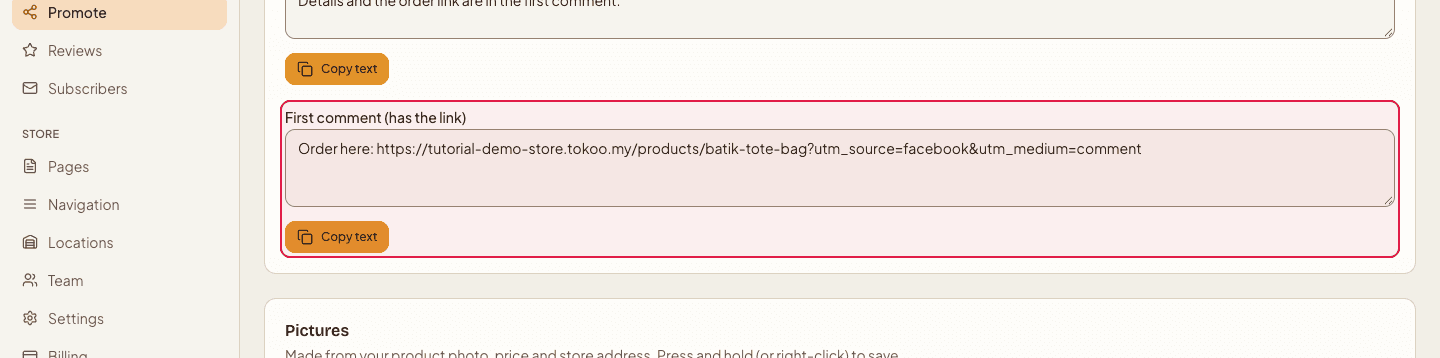
Paste the comment text — it has your tagged link — as the first comment, then pin it.
- 4
Use the link on your Page too
Set your Page’s button (such as Shop now) to your Facebook link from Promote. Groups: follow each group’s rules on links.
- 5
Read the results
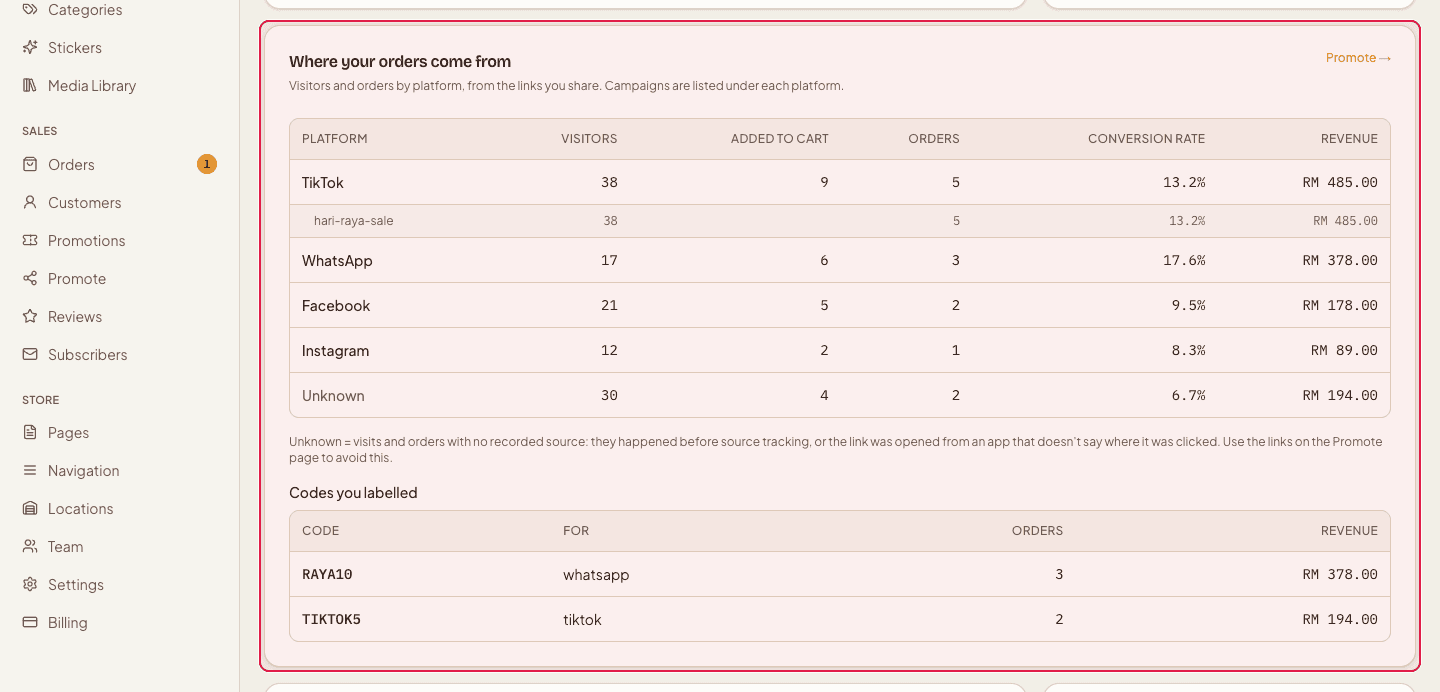
Analytics → “Where your orders come from” shows Facebook visitors and orders.
Facebook is testing limits on how many link posts some Pages can make each month, and comments with links are not counted. Putting links in comments is the safer habit either way.
Don’t post the same link into many groups in a row — most groups treat it as spam.
Still stuck?
Contact us and we'll help you sort it out.