Browse all guides
Win repeat customers with WhatsApp Status, Channel and broadcasts
WhatsApp is where your customers already are: status updates, a channel and broadcast messages with your tagged link.
WhatsApp links work everywhere — in a Status, a Channel, a broadcast and a private chat — so it is the easiest place to start.
- 1
Open the Promote page for a product or your store
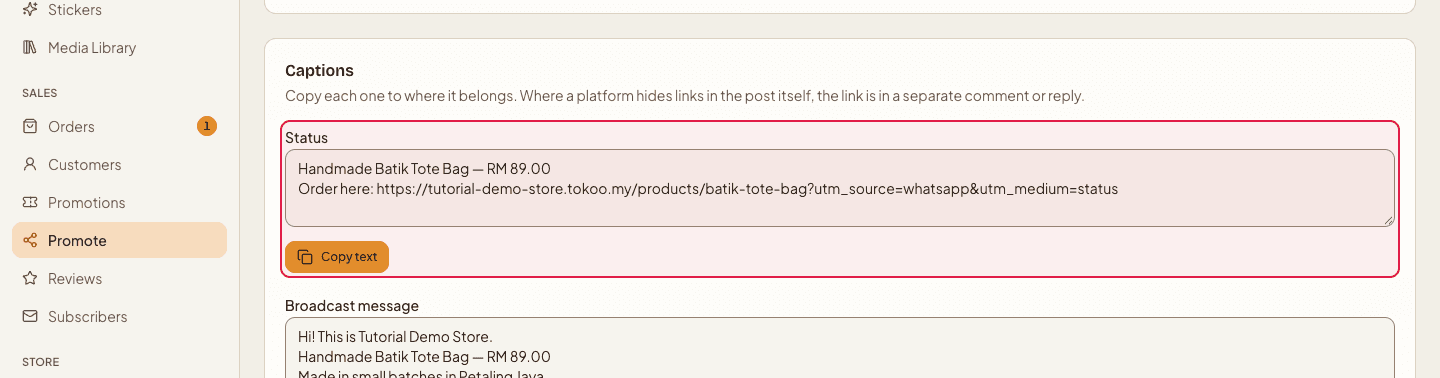
Choose WhatsApp. You get a short Status text and a longer broadcast message, both with your tagged link.
- 2
Post a Status every day
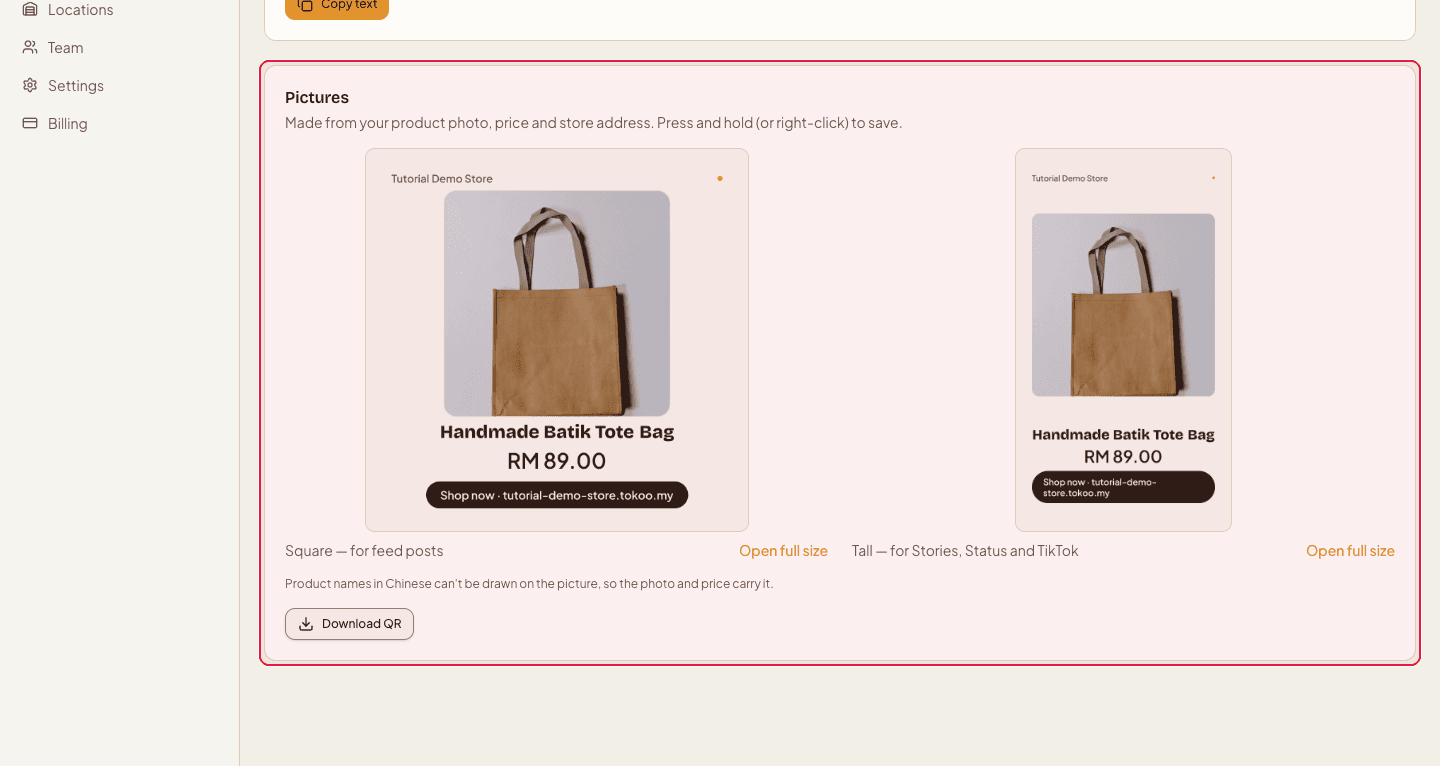
Use the tall picture (9:16) as the Status image and paste the Status text. Customers who keep your number saved will see it.
- 3
Open a WhatsApp Channel
Put the Channel’s link in your store settings (social links) so it shows in your footer and on your links page, and post new arrivals there.
- 4
Send a broadcast with a code
Create a discount code, label it “whatsapp” in “Who it’s for”, and attach it to the link on Promote. Then see exactly what each broadcast earned.
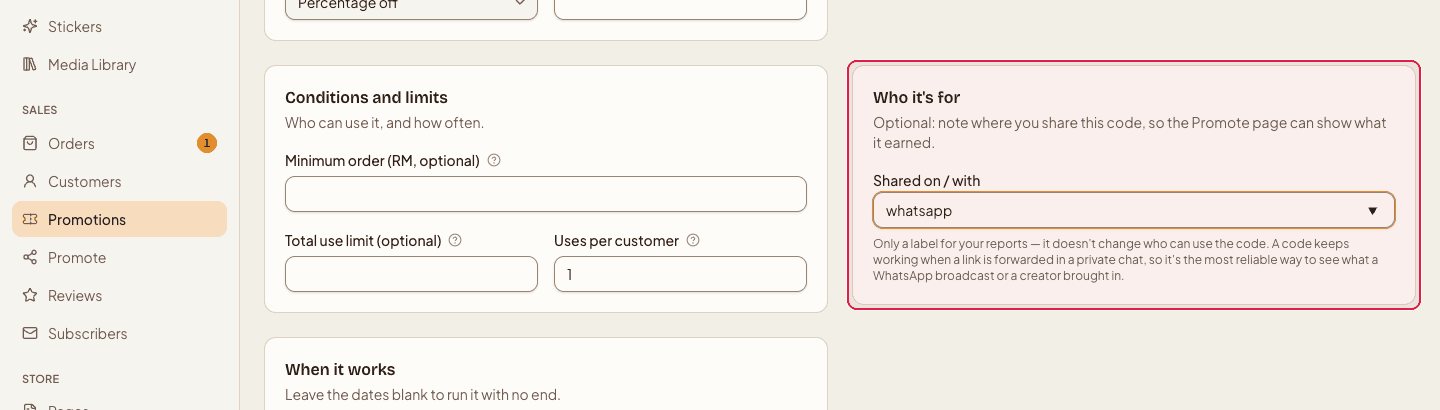
Add a discount code to the link: shoppers get it filled in at checkout, and forwarded messages keep the code even when the link’s source is lost.
Only message people who have asked to hear from you, and keep broadcasts occasional — WhatsApp can restrict numbers that people report.
Still stuck?
Contact us and we'll help you sort it out.