Browse all guides
One link per platform: see who brought the orders
Make a tagged link for each platform and campaign, and read the results in Analytics.
- 1
Open Promote
Open Promote from the left menu.
- 2
Name your campaign (optional)
Type what you are promoting, for example “Hari Raya sale”. It is added to the link so you can compare campaigns later.

- 3
Choose where the link goes
“Link to” sets the page shoppers land on: your home page, your links page, or all products. For one product, open it and press Promote.

- 4
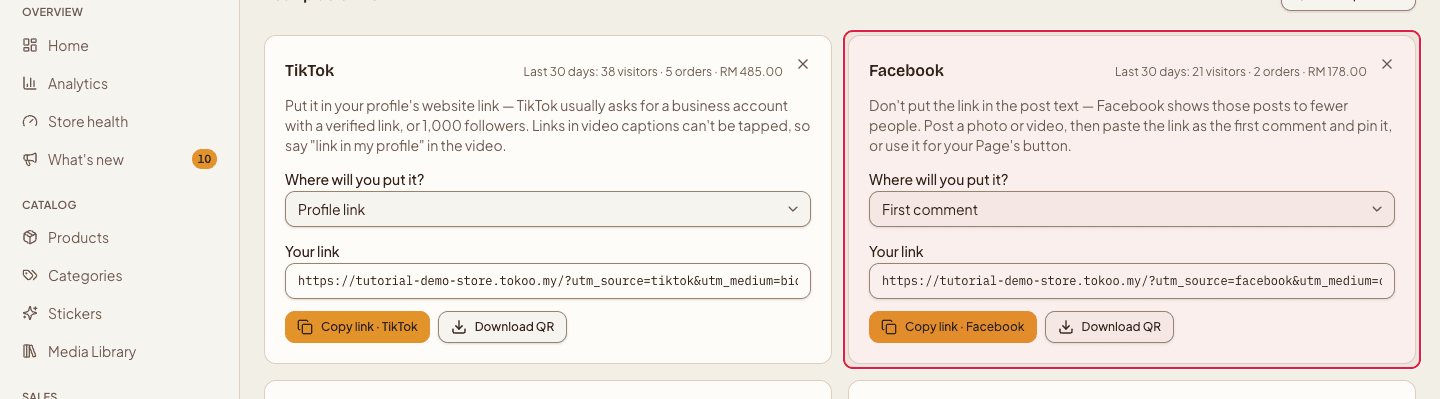
Copy each platform’s link
On the platform’s card, pick where you will place it and press Copy link. You can also download a QR code for flyers and packaging.
- 5
Read the results
Open Analytics → “Where your orders come from”. Each platform is a row; campaigns are listed under it. “Unknown” are visits with no recorded source.
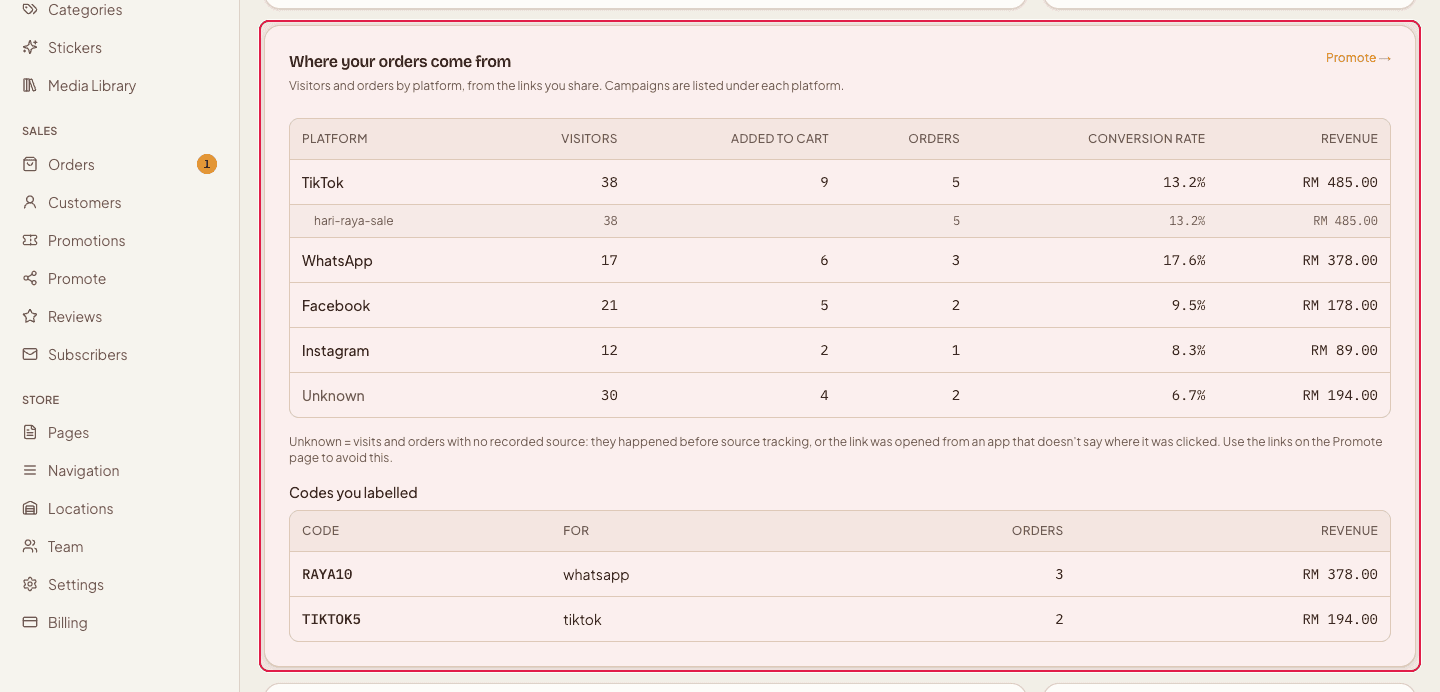
Use a different campaign name for each push, and keep the name the same everywhere you share it — that is what lets you compare.
The source is remembered for 7 days in the shopper’s browser. An order placed later than that, or from another device, shows as Unknown.
Still stuck?
Contact us and we'll help you sort it out.