Browse all guides
Put your links page in your TikTok and Instagram profile
Every store has a links page made for the single link slot on social profiles.
TikTok and Instagram give you one link in your profile. Instead of sending people to a plain home page, send them to your links page: your products, WhatsApp and any buttons you add, built for a phone.
- 1
Look at it first
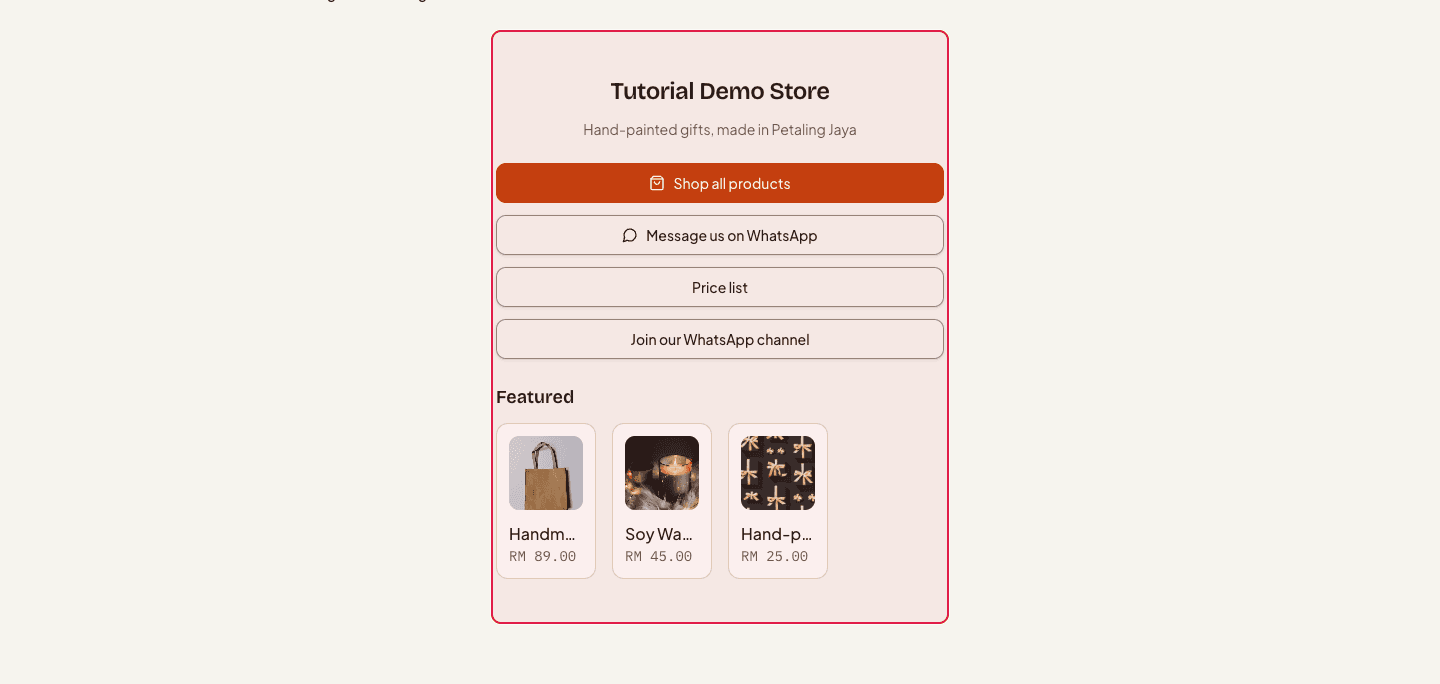
On the Promote page, open the “Links page” tab and press “Open it”. It already works: your store name, best sellers, WhatsApp and social icons.
- 2
Add a line and buttons (optional)
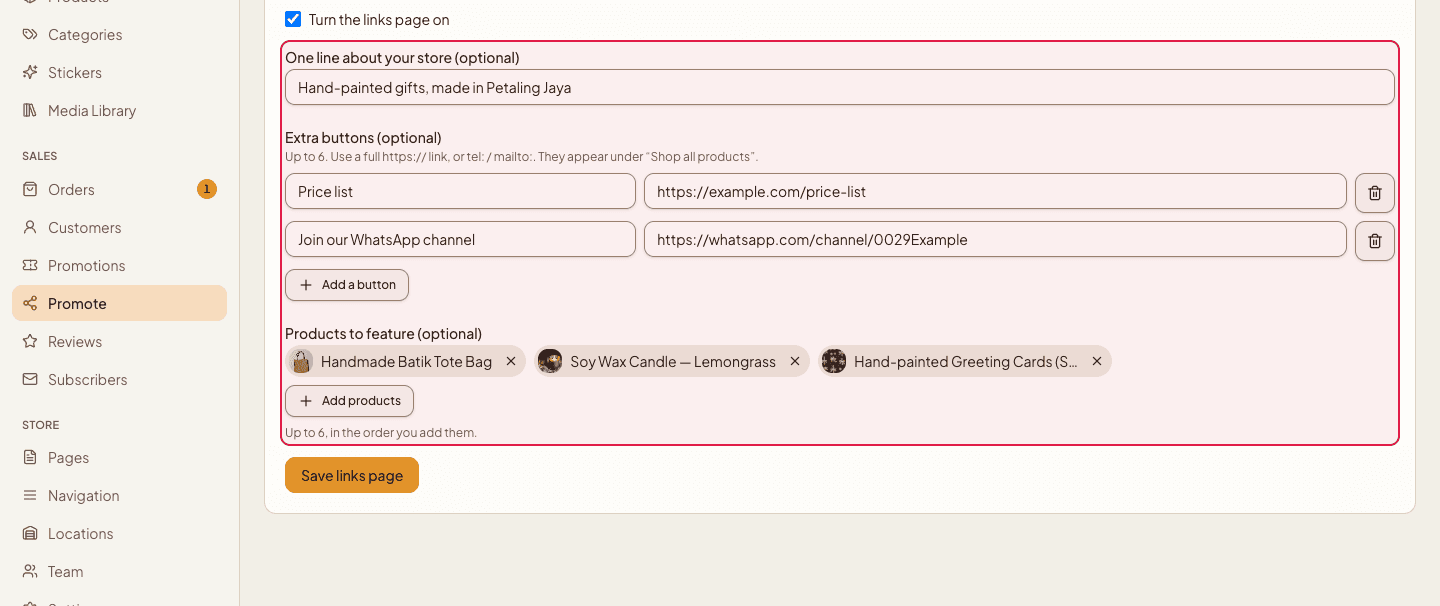
Write one line about your store and add up to 6 buttons — a menu, a booking form, a phone number. Use a full https:// link, or tel: / mailto:.
- 3
Pick products to feature (optional)
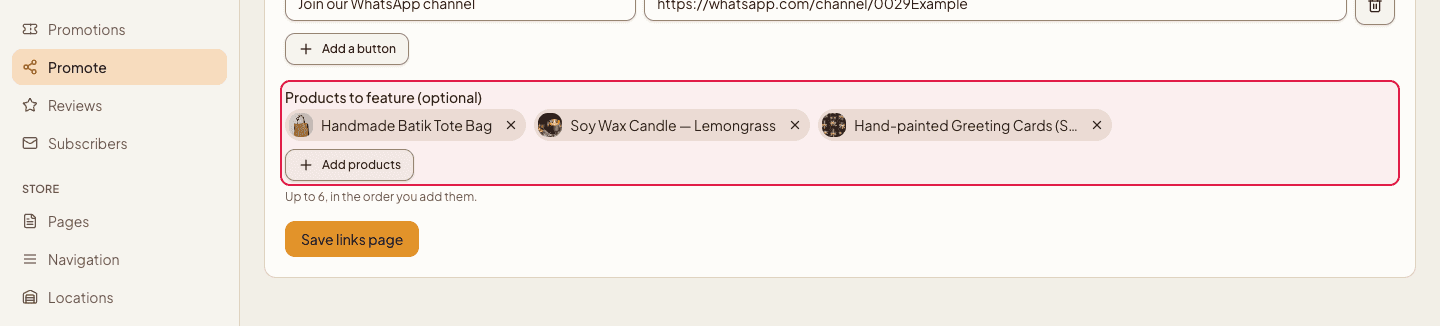
Click Add products, tick up to 6 in the window, then Done. They show in the order you add them. Pick none and your best sellers are shown.
- 4
Save, then copy the profile link
Press Save. Then go back to the “Tracked links” tab of Promote, choose “Your links page” under “Link to”, pick the platform’s Profile link, and copy it into your profile.
Visits from your profile link are counted as “bio” in Analytics, so you can see how much your profile alone brings in.
TikTok usually needs a business account with a verified link, or 1,000 followers, before it lets you add a website link. Check in the app what yours allows.
Turning the links page off makes the address show “not found” — change your profile link first if it points there.
Still stuck?
Contact us and we'll help you sort it out.