Browse all guides
Use TikTok to bring people to your store
Where the link goes on TikTok, what to say in the video, and how to see what it earned.
TikTok videos are the cheapest way to be seen, but a link in a video caption can’t be tapped. The link lives in your profile, and your video tells people to go there.
- 1
Get your profile link ready
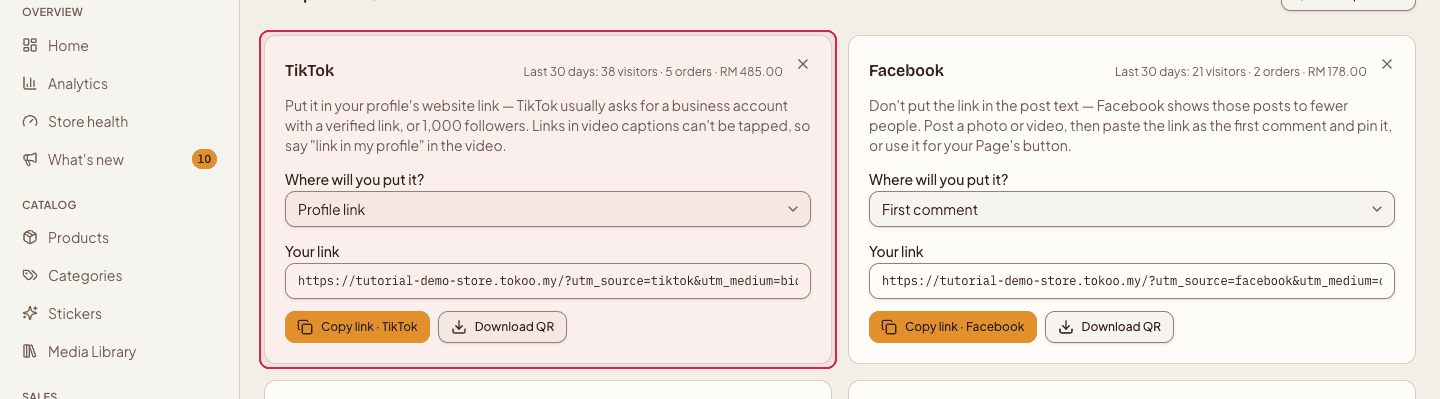
Create your links page link on the Promote page (TikTok card → Profile link). Paste it into your TikTok profile’s website field.
- 2
Make one video about one thing
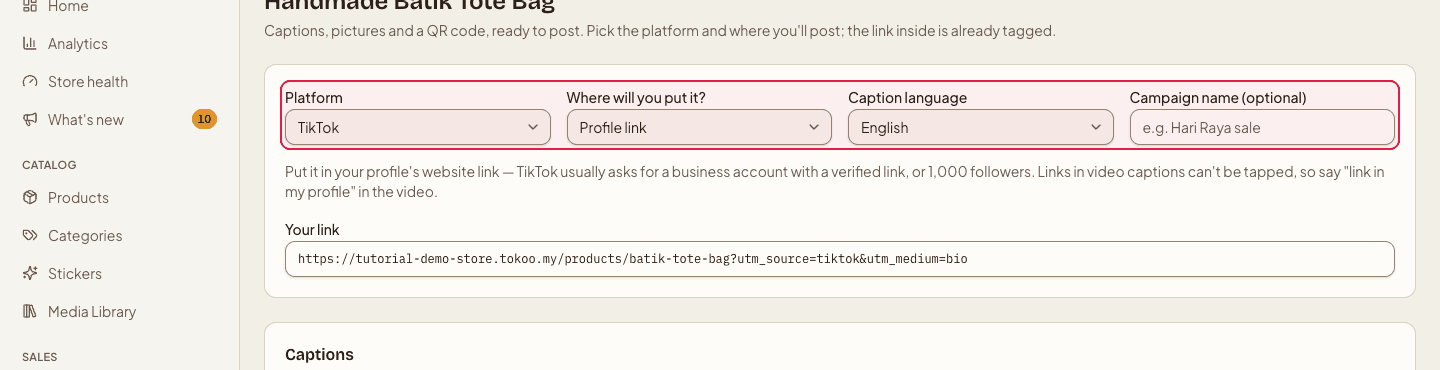
Show a single product or a single story. Open its Promote page for a caption and a line to say in the video.
- 3
Say where the link is
End with “link in my profile”. The captions from Promote already include it.
- 4
Pin your best three videos
Pin the videos that show your products, so a new visitor sees them first.
- 5
Check the results
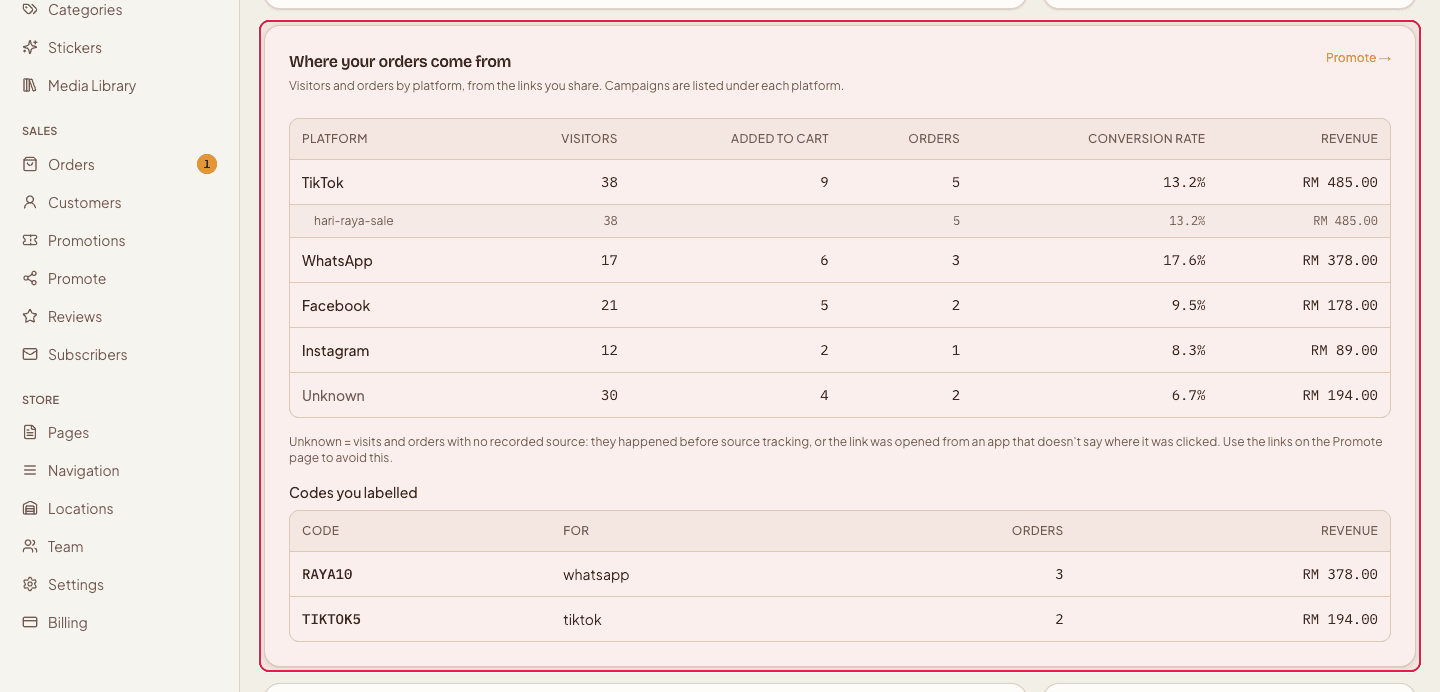
In Analytics → “Where your orders come from”, the TikTok row shows visitors and orders. Compare videos by giving each push a campaign name.
One recording can be reused: post it on TikTok, Instagram Reels, YouTube Shorts and Facebook Reels. Use the square or tall picture from Promote for the cover.
TikTok may not offer the website link until your account qualifies. Until then, put your store name in your bio so people can search for you.
Still stuck?
Contact us and we'll help you sort it out.